How To Jailbreak IPAD with Simple steps

0 commentaires

In this post i wil show you How To Jailbreak IPAD with a very Simple steps.

warring : Before the jailbreak open itunes and take a backup copy of your programs and files.
Should use  ITUNES version 9 and up

now we start jailbreaking

Alternative text

New Twitter application for iOS: the "quick bar" removed

0 commentaires

A few days ago, the official Twitter client for IOS has received an new update introduce twitter apps without quick bar


Alternative text

Jailbreak iPhone 4, 3GS iOS 4.3.1 Using Sn0wbreeze

0 commentaires


Sn0wbreeze 2.4b1 has been released to jailbreak the recently released iOS 4.3.1 on iPhone 4, iPhone 3GS (old and new bootrom), iPad, and iPod Touch 4G, 3G. This jailbreak is tethered, meaning which you will have to use the included iBooty utility to ‘boot into tethered mode’ each time you reboot your iPhone 4 or iPhone 3GS (new bootrom). Only iPhone 3GS old bootrom users will have an untethered jailbreak.

Alternative text

Setup iPhone ipa Apps without iTunes

0 commentaires

Now you can Setup iPhone ipa Apps without iTunes  using DiskAid software


  1. download 
  2. Run the program 


Will show you the files section of the iPhone multimedia (MMS) Media Folder


choose Root Folder


opne var Folder then mobile then Library and Downloads


Now send your ipa Apps to download folder


Upon completion of the transfer of all files to iPhone unplug the 
iPhone from your computer
Run Installulous in iPhone
You'll find the Apps in the iPhone

click on install All and back to iphone home
you will find all Apps installed


Alternative text

Free Application iPhone

0 commentaires

Vimeo


Add your Video and share it with your friends
support HD video

20.1 Mb
4.0.1 iOS


Viber


For Free call and send sms to your
friend using iPhone

5.1 Mb
3.1 iOS


 Angry Birds Rio Free


15.4Mb
4.0 iOS


Pocket  Frog


 Zapd


make your own webpage and share it with your friends with iPhone

14.1 Mb
4.0 iOS


Alternative text

Videora iPhone Converter

0 commentaires

Videora iPhone Converter 
convert video and run it on your iPhone


all-4-blogger.blogspot.com


How to run your video on iPhone

after converting the video open iTunes programme
go to films for check if the video existe

CollOsEO iphone academy ==>Filmssynchroniser les films ==>dr.dre I Need adoctor.


Now we move to our iPhone
get to iPod


and move to video


and finally


and it's done :)
Alternative text

TeleNav GPS – Now Free in AppStore

0 commentaires


TeleNav GPS is now available for free at App Store. TeleNav, the location service provider, offers this application to all iPhone 4 users. This application includes free local search and additional maps, contributing directions to 22 million locations. In addition, the program also provides continuous automatic updates.
This offer comes along with an additional service pack that allows users to access advanced navigation features. Those who are concerned about the new features can adopt the new pay-as-you-go plan of $21.99 yearly fee or $2.99 monthly fee. In addition to this option, the user can select the “stay free” option and utilize only the search capabilities and free GPS maps.
best portable gps TeleNav GPS   Now Free in AppStore
The new offer that includes the highly developed features is also provided throughout Verizon Wireless career for $19.99 per year. This offer is available only by the end of March. The innovative features included in the TeleNav pack are turn-by-turn onscreen and by voice driving directions, weather updates in different locations, traffic jam avoidances, real-time traffic alerts, intelligent re-routing, full-color 3D maps, online pre-plan trips, business listings and automated routing updates.
The TeleNav Company previously has more than 20 million users who currently use different navigation services. One of the most popular services among subscribers is AT&T Navigator App. This application can also be downloaded free, but it requires a monthly or yearly fee of $9.99, respective $69.99. The AT&T program includes many features, similar to the updated TeleNav GPS characteristics, such as real-time traffic updates, one-touch speech recognition and off-line maps. In addition, most programs also consist of merchant information, reviews and ratings so that users can decide easier on the most suitable application.
The TeleNav offer might have a great sensation among iPhone users who are prepared to try the TeleNav GPS system. Compared to previous application, the current offer supports both, Spanish and English languages, addressing to a much extended market segment.


Alternative text

EL3MENT Theme for iPhone 4

0 commentaires

EL3MENT is yet another original, unique & beautiful HD & SD theme created by ToyVan


**************************

V2 Theme


Alternative text

How To Unlock iPhone 2G in Windows XP

0 commentaires


We have Already seen how to unlock iPhone 2G in Mac OS now we will have another Tutorial for Unlock and Jailbreaking the iPhone 2G in Windos XP.
These are instructions on how to unlock/jailbreak your 2G iPhone to the 2.2.1 iPhone firmware using QuickPwn for Windows. Before beginning make sure you have updated to iTunes 8.0.2.
How To Unlock iPhone 2G in Windows XP
Step One
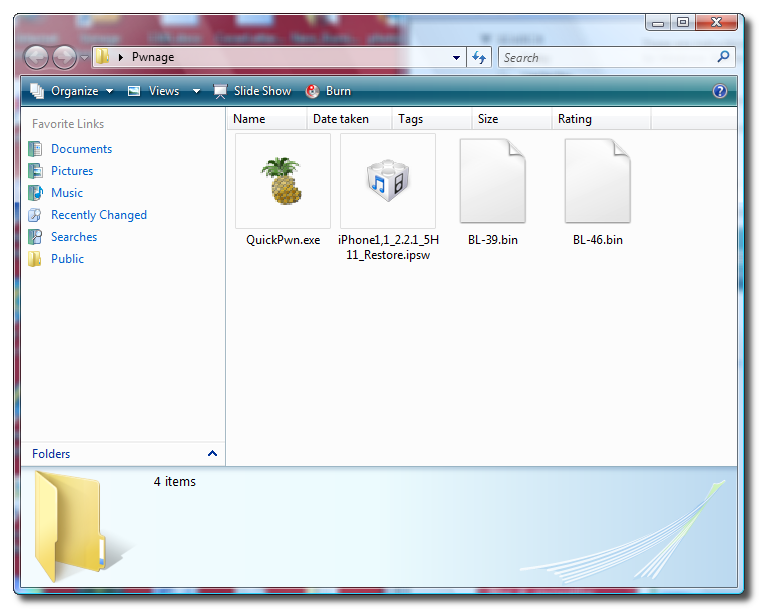
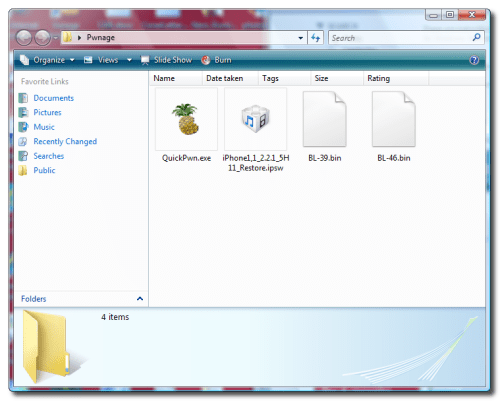
Create a folder called Pwnage on your desktop.

Download the following files and place them in the Pwnage folder you just created:
QuickPwn-225-2.zip
BL 3.9
BL 4.6
2.2.1 (2G):iPhone1,1_2.2.1_5H11_Restore.ipsw


Extract the QuickPwn-225-2.zip file to the Pwnage folder.

Step Two
Connect your iPhone to the computer and launch iTunes.


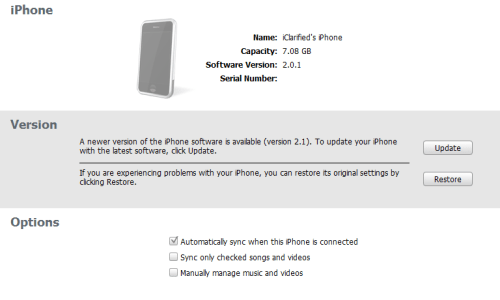
Select your iPhone from the list of devices on the left. Now hold down shift and click the Restore button. Restore is preferred as it won't create any wasted space on your iPhone.

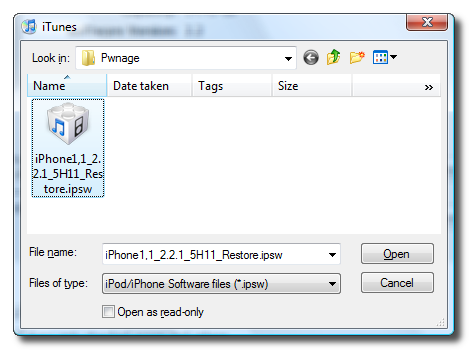
Navigate to the Pwnage folder on your desktop and select the 2.2.1 firmware ipsw. Click the Open button to continue.

Step Three
Once iTunes has finished updating your iPhone to the 2.2.1 firmware you may launch QuickPwn.exe from the Pwnage folder on your desktop.


Step Four
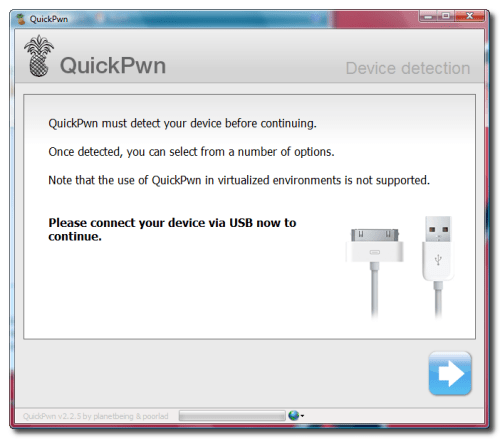
Make sure you iPhone is connected to the computer and click the blue arrow to continue.

Step Five
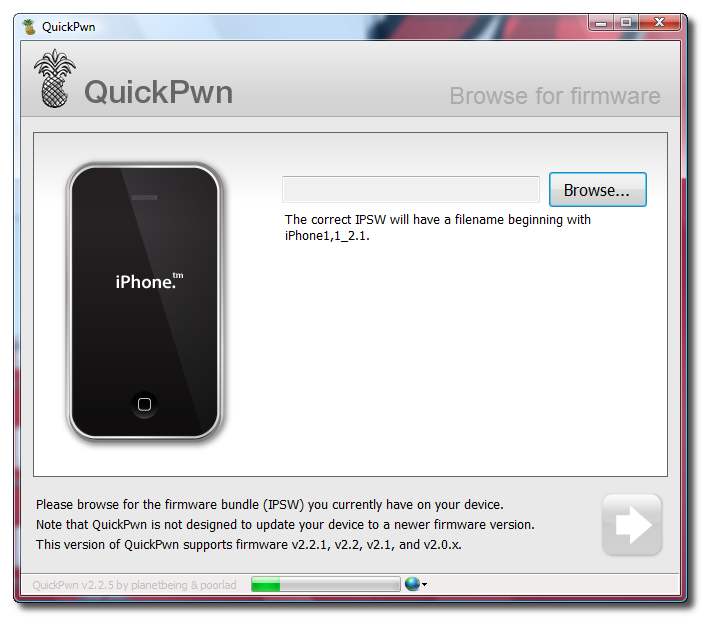
Click the Browse button to locate your iPhone firmware.
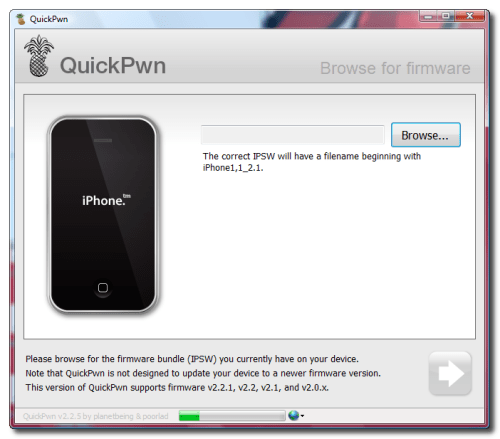

Step Six
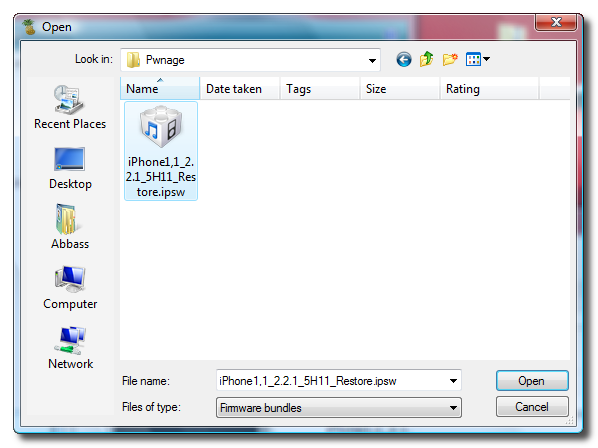
Select the 2.2.1 firmware ipsw from the Pwnage folder on your desktop then click the Open button.
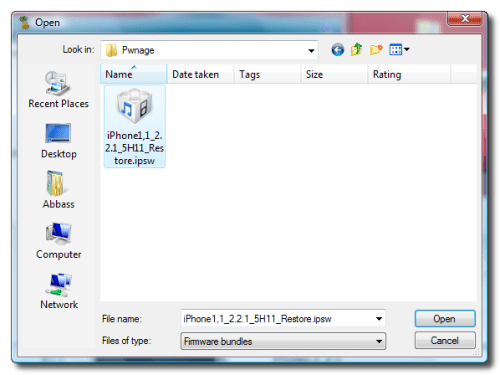

Step Seven
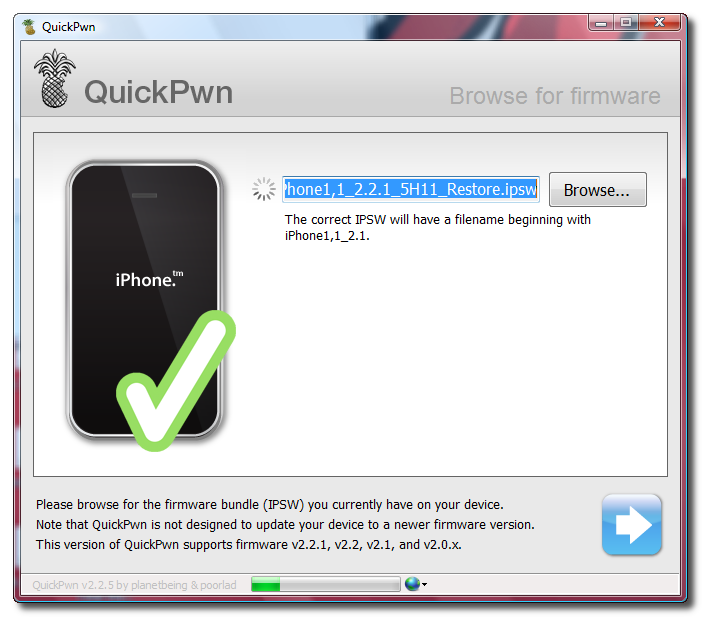
QuickPwn will check to make sure the ipsw is valid. Click the blue arrow button to continue.
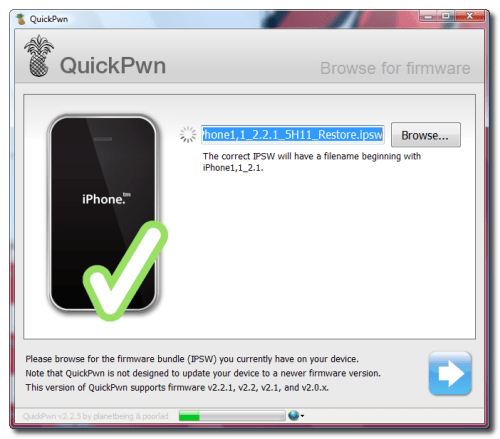

Step Eight
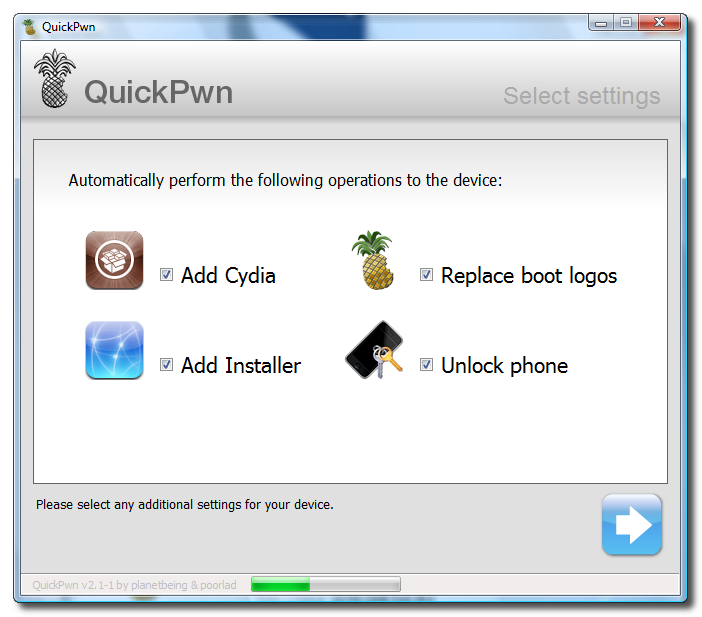
You can now select whether to Add Cydia, Add Installer, Replace Boot Logos, and Unlock Phone. Select the ones you would like to perform then click the clue arrow button


Step Nine
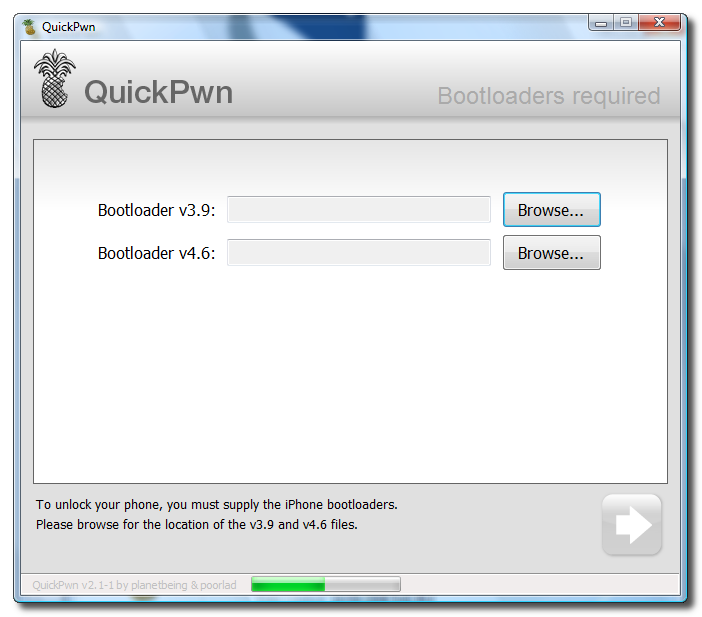
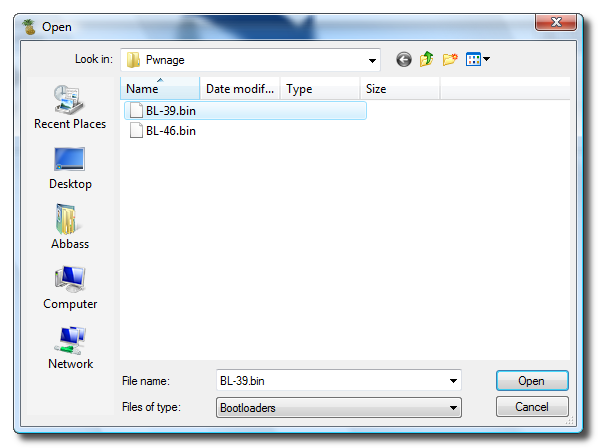
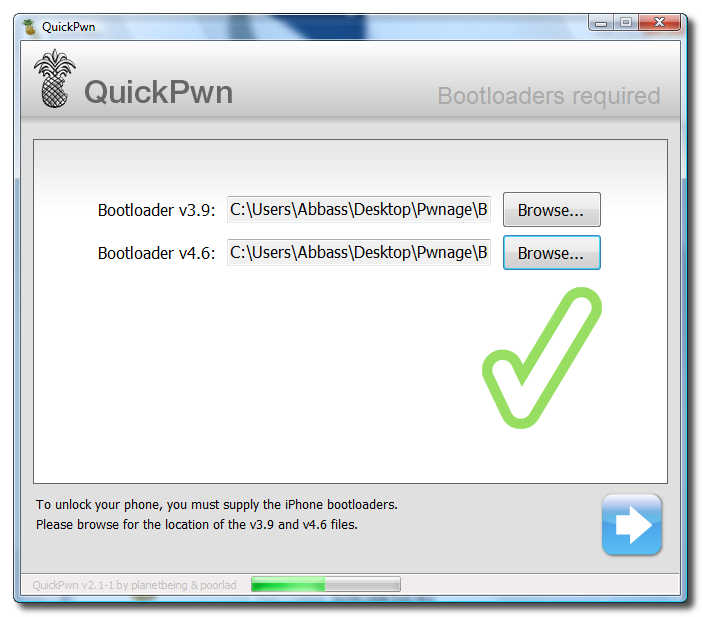
You will now be asked to select your bootloader files. Click the Browse button and select the 3.9 bootloader from the Pwnage folder on your desktop. Likewise do the same thing for the 4.6 bootloader file. Then click the blue arrow button to continue.


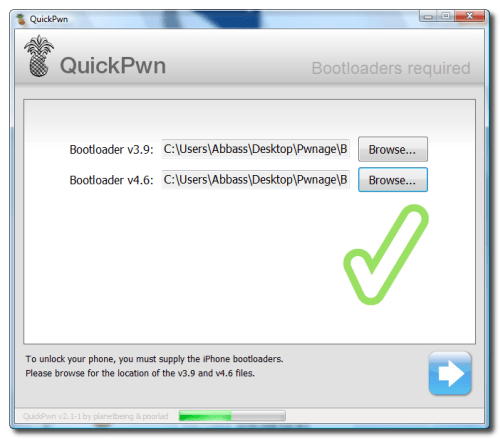


Step Ten
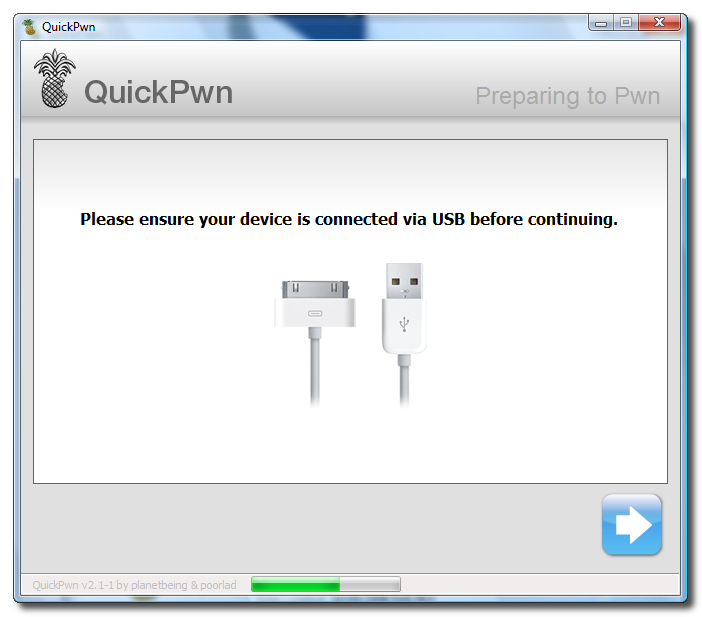
QuickPwn will now ask you to confirm your iPhone is connected via USB before continuing. Click the blue arrow button to proceed.
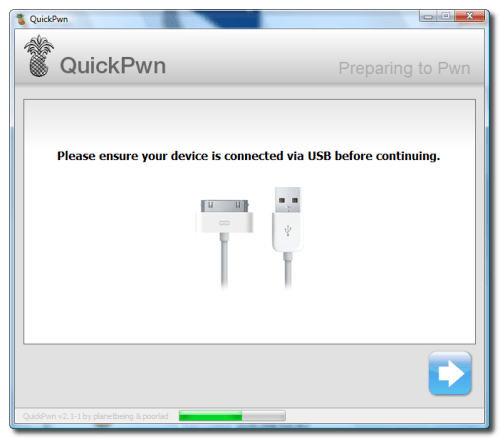

Step Eleven
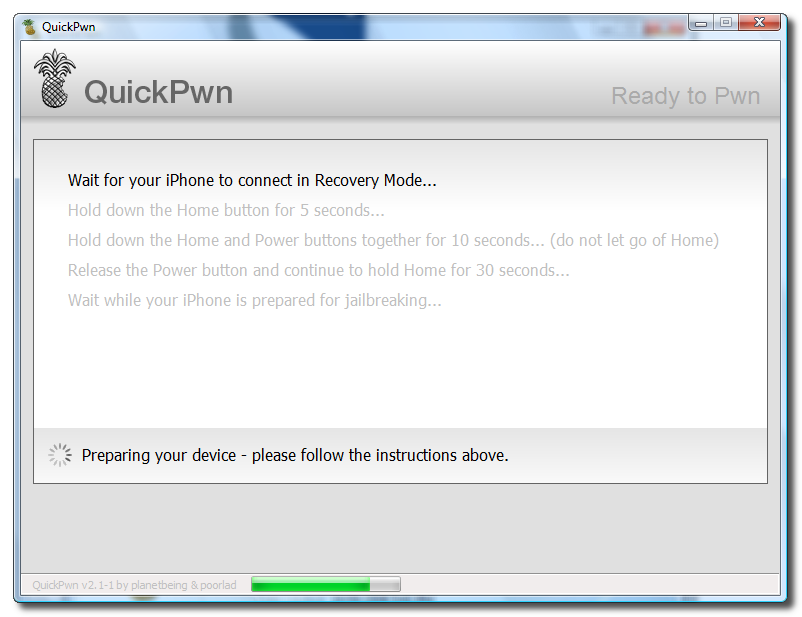
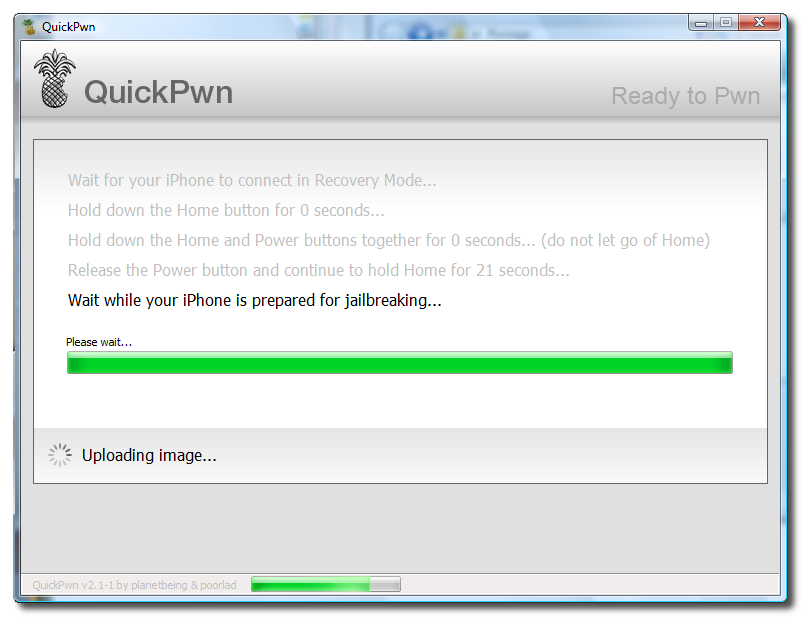
QuickPwn will now automatically put your iPhone into recovery mode. Once its in recovery mode you will be prompted to: Hold the Home button for 5 seconds, Hold the Home and Power buttons for 10 seconds, then release the Power button and continuing holding the Home button until your iPhone is in DFU mode.


Watch the prompts carefully and follow along.

Step Twelve
Once QuickPwn detects your iPhone in DFU mode it will begin the jailbreak process.


Step Thirteen
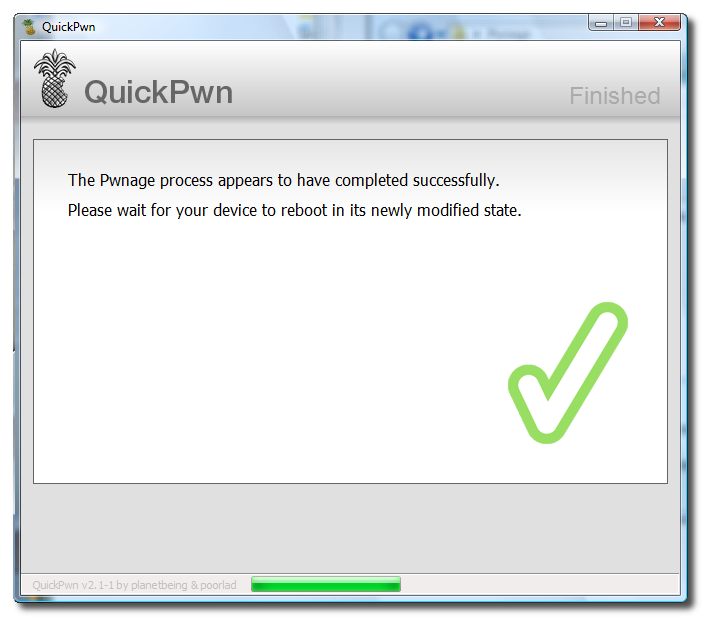
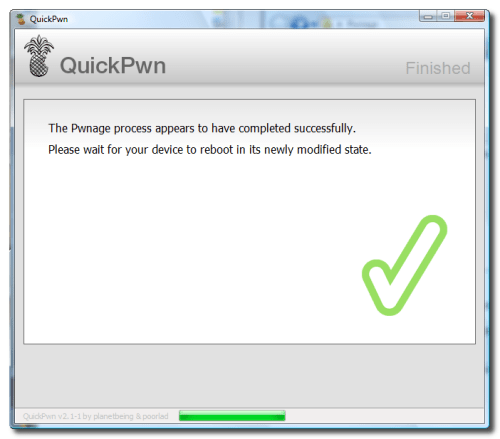
Once jailbreaking is complete QuickPwn will inform you that it was successfull. Your iPhone will then proceed to run BootNeuter. This process will take about 5 minutes. Please be patient. Your iPhone will reboot when it has completed the process successfully!
Alternative text


Sponsors

Protected by Copyscape Web Copyright Protection

All For Blogs. Copyright 2011 All Rights Reserved powered by Revolution Church Theme hosted on Blogger